Upload your artwork, check it instantly, and fix eligible issues before print
Ordering print online should be simple, clear and reassuring.
You may have spent time creating your design, but it is not always easy to know whether your artwork is correctly set up for professional print. A file can look perfect on screen but still have issues that need attention before it can be printed properly.
Common problems such as missing bleed, incorrect sizing or low-resolution artwork can delay production and create unnecessary back-and-forth before your order can move forward.
That is why we have introduced our new Artwork Check & Auto-Fix Tool, now available for business cards and flyers.
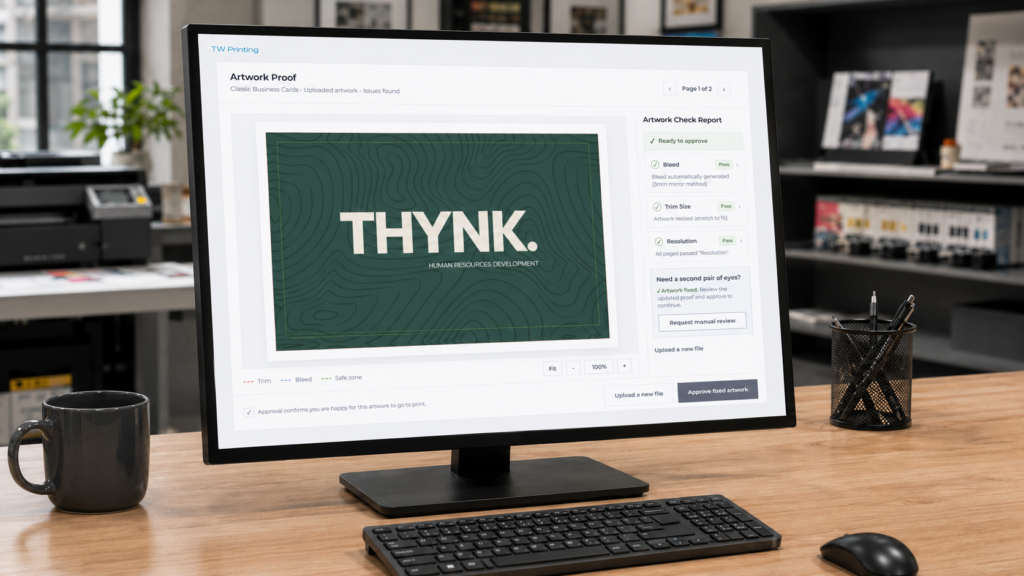
It allows you to upload your artwork, receive an instant automated check, fix eligible issues automatically, and review an updated proof before production.
Upload. Check. Fix. Print.
What does the Artwork Check & Auto-Fix Tool do?
When you upload your artwork during the order process, our tool checks your file for common print issues before production.
It helps check key areas such as:
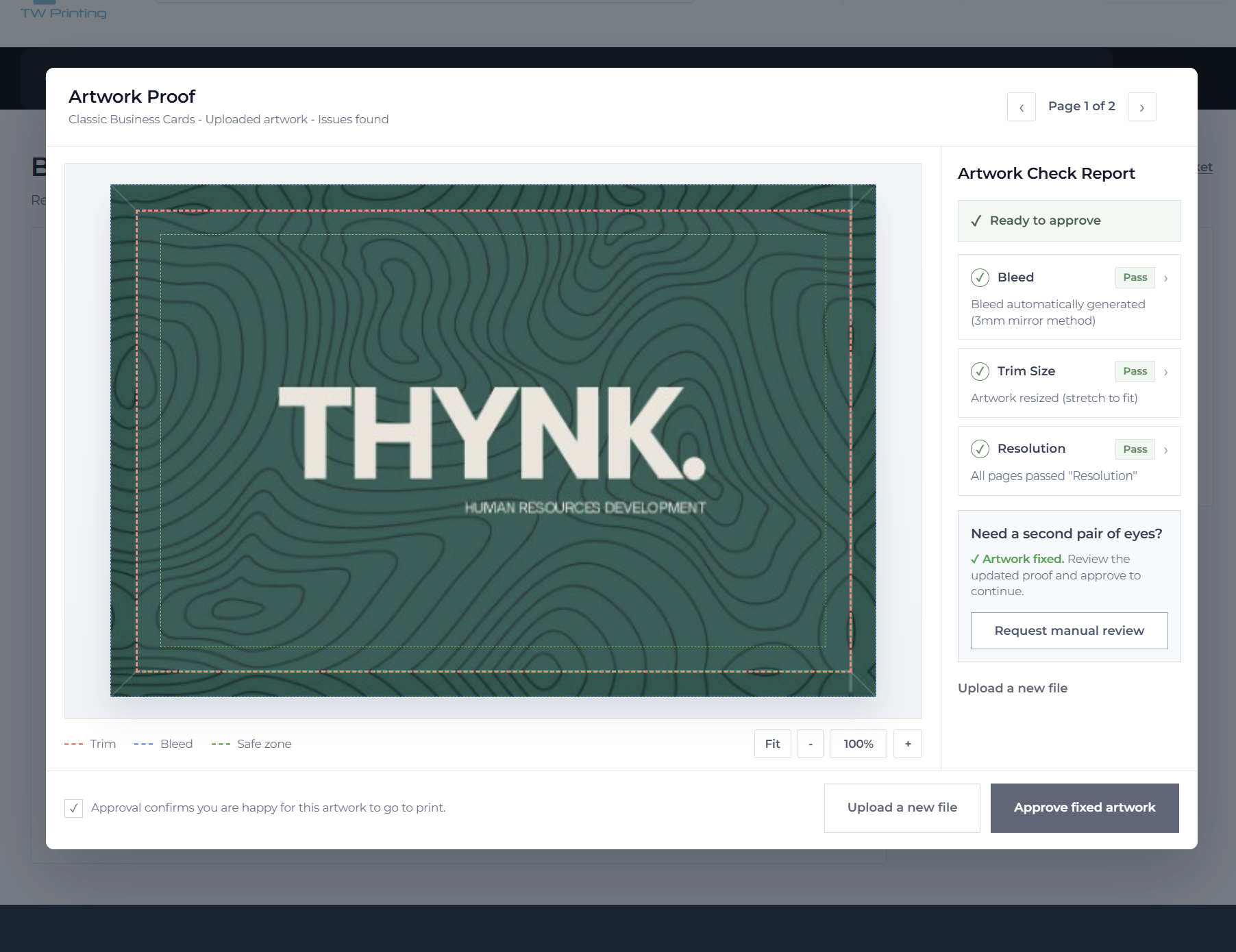
- Bleed — making sure your artwork extends correctly beyond the trim edge
- Trim size — checking that your artwork matches the selected product size
- Resolution — helping ensure your file is suitable for sharp, clear print
You will see a clear report showing whether your artwork has passed or whether something needs attention.
Instead of waiting for a manual check before knowing there may be an issue, you can see the result instantly.
What happens if an issue is found?
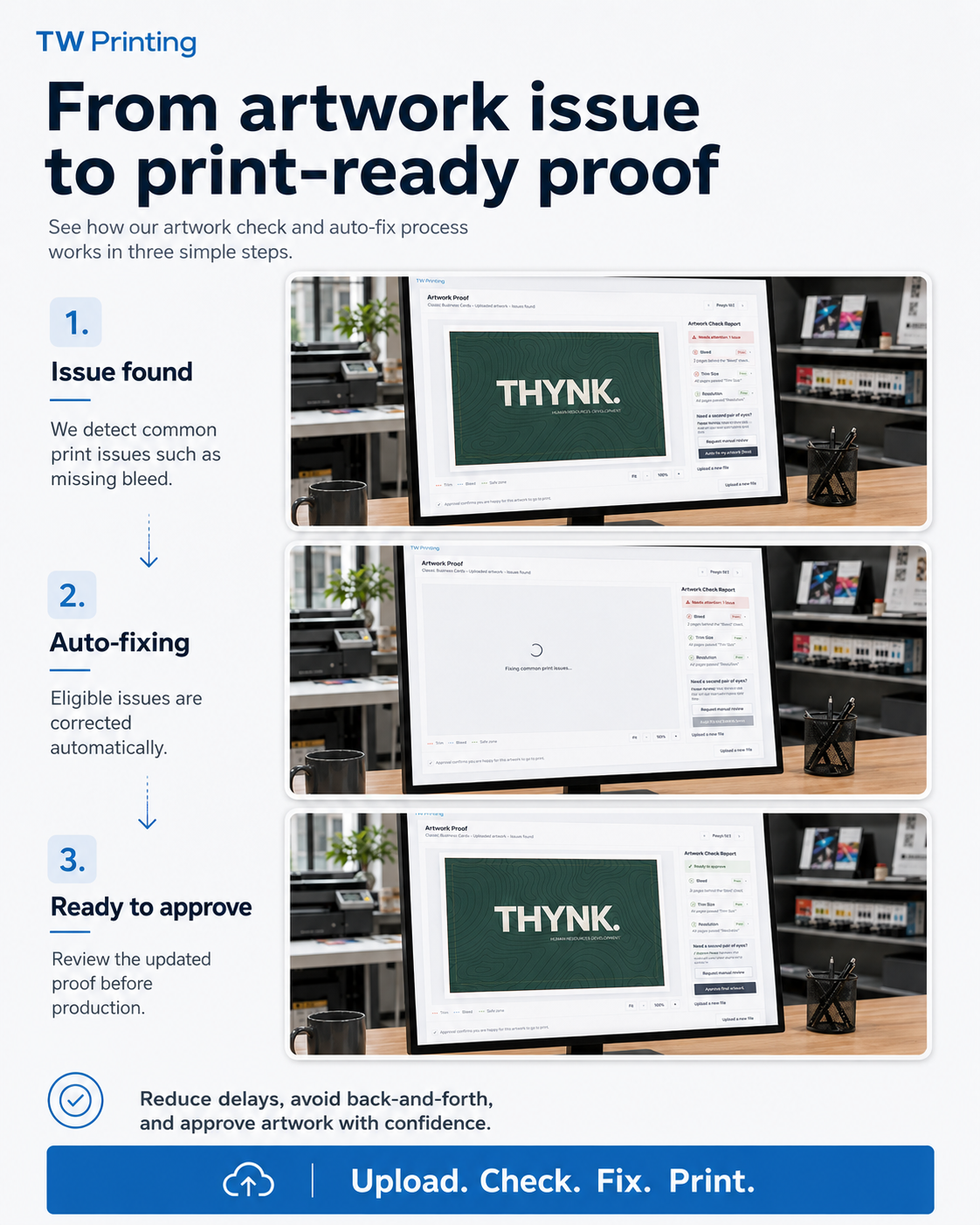
If the tool identifies an eligible issue, you may be able to fix it automatically.
For example, if your artwork is missing bleed or needs resizing, the system can create a corrected version within seconds.
Once the fix has been applied, you will be shown an updated proof so you can review the result before your artwork goes to production.
The process is simple:
- Upload your artwork
- See the instant artwork check
- Fix eligible issues automatically
- Review your updated proof
- Approve your artwork before print
This helps move your order forward more quickly and gives you a clearer view of what will be printed before production begins.
Why does artwork need checking?
Professional print has specific setup requirements that are not always obvious if you are designing artwork yourself.
One of the most common examples is bleed.
Bleed is the extra artwork that extends beyond the final cut edge of your printed item. It helps avoid unwanted white edges when your print is trimmed to size.
Your artwork might look correct on screen, but if it does not include bleed, it may not be properly set up for print.
Other common issues include:
- artwork supplied at the wrong size
- important text or logos too close to the trim edge
- low-resolution images
- files that need adjusting before production
Our tool helps identify these issues earlier, so you can see what needs attention before your order goes to print.
Designed to make online print ordering easier
This new tool is designed to make the print ordering process smoother for customers.
It gives you more confidence when uploading artwork, especially if you have created your design yourself using tools such as Canva, Adobe Express, Illustrator, Photoshop or another design tool.
It also helps reduce delays caused by artwork problems, because eligible issues can be corrected before the order reaches production.
That means:
- less uncertainty when uploading your file
- fewer delays caused by common artwork issues
- a clearer proofing process
- more confidence before production
- a smoother online ordering experience
It is a practical tool designed to solve a real problem in the print ordering process.
You stay in control before print
The tool does not send your artwork to print without your approval.
You will still be shown a proof before production. If your artwork has been fixed automatically, you can review the updated version and decide whether you are happy to continue.
This gives you a clearer view of what is being printed and helps reduce the risk of unexpected artwork issues later in the process.
Manual review is still available
Automation is helpful, but not every file is straightforward.
If you are unsure about your artwork, or if you would prefer someone from our team to take a look, you can still request a manual review during the process.
Our team is still here to help.
The aim of the tool is not to replace human support. It is designed to make common artwork checks faster and clearer, while still giving you access to our team when needed.
Automated when possible, human support when needed.
Now available for business cards and flyers
The Artwork Check & Auto-Fix Tool is currently available when ordering:
- business cards
- flyers
We will gradually roll it out across more products over time.
This is part of our wider aim to make ordering print online easier, clearer and more reliable for our customers.
Ready to try it?
The next time you order business cards or flyers online, upload your artwork and see the tool in action.
You will be able to check your file instantly, fix eligible issues automatically, and approve your proof before production.
From artwork issue to print-ready proof — in seconds.